
BLOG
Construction & Real Estate Insights
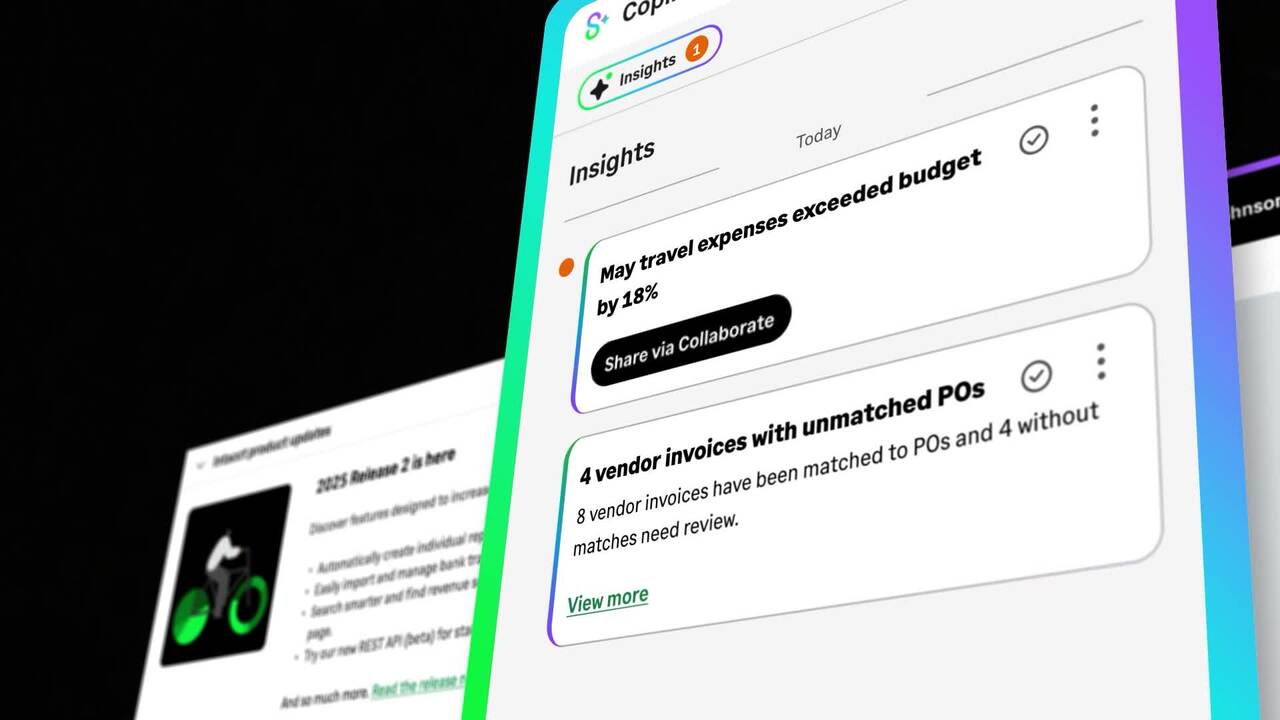
What Sage Copilot Actually Does and Why Construction and Real Estate Teams Should Pay Attention
Blog Posts

Why Owners Take 90 Days to Pay, and Where the Bottleneck Actually Is

The owner isn't holding your cash. Your pay application is.
A general contractor's billing coordinator submits a pay application on the first business day of the month. Two weeks pass without a word. When the owner's project manager finally responds, the application gets kicked back: one subcontractor's lien waiver never came in, and the schedule of values still shows the original scope, not the change order that was approved three weeks earlier. The clock resets. The GC is now covering payroll, self-perform costs, and overhead out of pocket for another billing cycle, waiting on money it already earned.
Everyone on the GC's side calls this waiting on the owner. But the owner's team did not create this particular delay. The GC's own pay application did.
The Owner Isn't the Bottleneck, the Pay App Is
Industry research shows 70 percent of construction firms experienced late owner payments in the past 12 months, and close to half of GCs saw subcontractors slow down once the cash stalled. It is easy to read that as an owner problem. Most GC contracts include a pay-when-paid clause, so the GC cannot release payment to subcontractors until the owner's funds clear, and with margins already thin, there is little buffer to cover the gap. But before an owner can approve anything, the pay application has to be complete, accurate, and free of the specific errors that get it kicked back, and that part of the process sits entirely inside the GC's own systems.
Project managers often track budgets and change orders in spreadsheets while accounting closes the books in a separate system. When schedule of values data, compliance documents, and job cost data live in three different places, nobody has a single view of what is actually ready to bill, and the pay application goes out with gaps the owner has every contractual right to reject.
Four Places the Payment Chain Actually Stalls
In most jobs, money moves from owner to GC to subcontractors and suppliers, and each party waits for the one above it to certify work and release funds. One dispute or missing document can freeze the entire chain. Four specific breakdowns cause most of the freeze.
BottleneckUnderlying IssueImpactPay-when-paid clausesGC cannot pay subs until owner funds arriveSubs slow or stop work, jeopardizing the scheduleOut-of-date schedule of valuesScope changes not reflected in the contract-agreed SOVOwner rejects or short-pays the applicationMissing compliance docs (COI, lien waiver)Paper chase across multiple tradesPay app sits in pending status while cash is tied upSingle lump-sum billingGC invoices only at substantial or final completionRevenue gaps of 60 to 90 days while costs pile up
The first two breakdowns are structural, built into the contract itself, and not something a GC can eliminate outright. The second two are process breakdowns, and that is exactly where a GC has room to close the gap. A schedule of values that updates the moment a change order is approved never gets caught out of date. Compliance documents tracked inside the same system as the pay application never get lost in a side email thread. Those are the two breakdowns worth fixing first.
A CFO Playbook to Accelerate Cash
The goal is shortening invoice to cash from months to weeks without giving up compliance or the relationship with the owner. Four moves do most of the work.
- Automate the pay application workflow. Digital pay app forms pull current schedule of values figures, change orders, and lien waiver status directly from the accounting system, instead of being rebuilt by hand for every submission.
- Embed compliance checkpoints. The system blocks submission if a certificate of insurance or a conditional or unconditional waiver is missing or expired, so a pay app never goes out with a gap the owner can reject on.
- Offer early pay programs to subcontractors. A small discount, commonly around 2 percent, in exchange for payment inside seven to ten days keeps subs liquid and protects project momentum.
- Move to owner-aligned milestone or progress billing. Breaking a large contract into smaller monthly draws tied to measurable progress aligns cash inflows with weekly payroll and materials costs, instead of waiting on one lump sum at completion.
Each of these targets a specific point in the chain. Automating the workflow and embedding compliance checkpoints fix the two process breakdowns from the table above. Early pay programs and progress billing address the structural breakdowns a GC cannot eliminate, by giving the business a way to manage around them instead.
Real-Time Cost Control Matters Just as Much as Getting Paid
Getting paid faster only protects margin if the number being billed is accurate. Material prices can move overnight, and a single crew can burn through a week's labor budget in a day. Waiting until month-end to reconcile costs is too late to act on either one. Feeding daily field data, such as labor hours, purchase orders, and change order status, directly into the accounting system lets finance flag a cost code that is 15 percent over budget before it becomes 30 percent, compare earned value against planned value in real time, and decide immediately whether to issue a change order, add contingency, or resequence the work.
Where Sage Intacct Construction Fits
Digital pay application forms in Sage Intacct Construction pull current schedule of values figures, change orders, and lien waiver status directly from the accounting system, and the system blocks submission if a required compliance document is missing or expired. Daily field data feeds the same system, so cost-to-complete dashboards update continuously instead of waiting for month-end close.
The other half is configuring which compliance documents gate which pay applications, and how the schedule of values structure matches that GC's actual contract language, since no two ownership groups require exactly the same documentation. Alliance sets up that gating logic and SOV structure around each client's real contracts, rather than deploying a generic template and asking the finance team to work around it. Alliance Solutions Group is Sage's number one Intacct partner in North America, with real people and real expertise dedicated specifically to construction and real estate. Support that knows you by name, not a ticket number.
A Pay Application Audit GCs Can Run This Week
Run this with the team preparing pay applications. Each question has a clear yes or no answer.
- Does the schedule of values update automatically when a change order is approved, or does someone have to remember to update it by hand?
- Are compliance documents such as COIs and lien waivers tracked inside the same system as the pay application, or chased down over email?
- Can the billing team see today which jobs have all the documentation needed for a clean pay app, or does that only surface after a rejection?
- Is any job still billing on a single lump sum at completion, when milestone or progress billing would move cash sooner?
- Does daily field data feed cost tracking, or does the team wait for month-end to find out a cost code ran over?
Two or more no answers means the delay being blamed on the owner is at least partly coming from inside the GC's own pay application process.
Get Paid on the Work You've Already Done
The billing coordinator who submitted that pay application on day one did not need the owner to move faster. She needed the lien waiver already logged and the schedule of values already current, so the application went out clean the first time. That is a fixable gap, not a fact of life.
Stop Financing Owners Out of Your Own Cash Flow
If pay applications are still getting rebuilt by hand every cycle, that gap is where the 90-day wait actually comes from. Alliance configures Sage Intacct Construction so the schedule of values, compliance documents, and pay application stay connected from the day work starts.
Take a self-guided product tour
Frequently Asked Questions
Why do owners take up to 90 days to pay general contractors?
Part of the wait is structural: many contracts include pay-when-paid clauses and multi-step approval chains that take time regardless of how clean the paperwork is, and margins are already thin enough that there is little buffer to absorb the gap. But a large part of the delay traces back to the pay application itself. An out-of-date schedule of values, missing compliance documents, or a lump-sum billing structure that only invoices at completion all give an owner a legitimate reason to reject or delay approval, and that part of the process is inside the GC's control, not the owner's.
What is a schedule of values and why does it cause payment delays?
A schedule of values is the contract-agreed breakdown of a project's total value by task or phase, used to determine how much can be billed at each stage. When a change order is approved but the schedule of values is not updated to reflect it, the pay application no longer matches the actual contract, which gives the owner grounds to reject or short-pay the submission until the mismatch is corrected, adding another cycle to an already long wait.
How does compliance gating help pay applications get approved faster?
Compliance gating blocks a pay application from being submitted if a required document, such as a certificate of insurance or a lien waiver, is missing or expired. Instead of finding out about the gap after the owner rejects the submission weeks later, the GC catches it before the application goes out, which removes one of the most common reasons pay apps stall in pending status and shortens the approval cycle from weeks back down to days.
How does Sage Intacct Construction support the pay application process for general contractors?
Sage Intacct Construction keeps the schedule of values, change orders, and compliance status connected to the pay application itself, so a submission reflects what has actually been approved rather than what someone remembered to update. The same connection runs the other direction: field activity feeds cost tracking continuously, so the number going out the door is current and the application does not need to be rebuilt or corrected after the fact.
What does Alliance Solutions Group do for general contractors?
Alliance Solutions Group configures the compliance-gating rules and schedule of values structure in Sage Intacct Construction around each client's actual contract language, rather than deploying a generic template and leaving the finance team to work around it. Alliance is Sage's number one Intacct partner in North America, with real people and real expertise dedicated specifically to construction and real estate. Support that knows you by name, not a ticket number.

You Don't Need to Rebuild Everything to Modernize
Modernizing does not mean tearing out everything that already works.
A specialty contractor's controller gets a proposal on her desk: replace the estimating tool, the field service app, and the accounting system, all at once, over eight months, at a price that makes the whole project impossible to justify this year. She shelves it. The actual problem was never the estimating tool the crews like, or the field app the techs already know how to use. The actual problem was the accounting system underneath all of it, still producing reports that take days to pull together, still requiring someone to re-key data between three disconnected pieces of software.
A year later, nothing has changed, because modernize got translated into replace everything, and replacing everything was never going to happen.
Rip and Replace Scares Off the Contractors Who Need to Modernize Most
The instinct to treat modernization as an all-or-nothing decision hits hardest at the contractors who can least afford it. A shop running lean, with an office team already stretched across billing, dispatch, and job costing, cannot take three or four people offline for months to learn an entirely new stack. Nobody wants to go through a software transition twice, either, and a full system replacement touches every department at once: field crews learning new workflows, accounting rebuilding every report, management absorbing the cost of running two systems during the transition. For a specialty contractor already stretched across service calls, install jobs, and maintenance contracts, that is a lot to ask for a return that will not show up for months.
So the decision gets deferred. The accounting system actually causing the pain keeps running, the field app everyone likes keeps running alongside it, and the gap between them keeps costing real time every week, because the alternative looked like tearing out too much at once. That is not a reason to stay stuck. It is a reason the plan needs to fit the business, not the other way around.
The deferral has a cost of its own, even if it never shows up as a line item. Every month spent re-keying data between systems that do not talk to each other is a month the office team spends on clerical work instead of the analysis, forecasting, and bid strategy that actually grows the business. The false choice between an expensive full replacement and no change at all quietly becomes the most expensive option on the table.
What the Power of Choice Actually Looks Like
A specialty contractor's technology needs rarely break down evenly. One shop's biggest pain point is financial reporting and multi-entity consolidation. Another's is dispatch and field service management. A third is winning better bids with more accurate estimates. A fourth might be all three at once, just at different levels of severity. Modernizing well starts with naming which of those is actually causing the pain, not replacing all of them on the same timeline because it feels simpler to do it once.
- Core software is available as custom packages or a la carte, not one all-or-nothing bundle, so a contractor can start with the piece causing the most pain and add the rest later.
- Open APIs let a modern accounting or field service platform connect to tools already in place, such as estimating software, project management platforms, and dispatch tools, instead of requiring all of them to be replaced at once.
- A true cloud foundation means the platform stays current on its own, without the complicated, expensive upgrade cycles that used to come with on-premises systems.
None of that requires abandoning what already works. It requires being honest about which piece is actually broken, and starting there.
The Track Record Behind Each Piece
Modularity only helps if each piece being offered separately is actually built well on its own, not just cheaper to buy piecemeal. Sage has more than 50 years of construction industry experience and is used by more than 50,000 construction businesses, including 48 percent of the ENR Top 400 contractors and 53 percent of the BD&C Giants Top 115 firms. Sage Intacct is the first and only accounting solution preferred by the American Institute of Certified Public Accountants, and has been recognized as a Leader in the IDC MarketScape assessment of SaaS and cloud-enabled midmarket finance and accounting software. Starting with one piece does not mean starting with an unproven piece.
Modernizing in Stages, Not All at Once
A staged approach looks different for every contractor, but the shape is consistent.
- Fix the piece causing the most damage first, typically financial reporting, job costing, or multi-entity consolidation for a contractor running several trades or regions.
- Connect it to what is already working through an open API instead of replacing that piece too.
- Add the next layer, field service management or project management capability, once the first piece is stable and the team has adjusted.
Nothing about that sequence requires a single, all-at-once implementation. This is also where a rollout that failed once does not have to fail again. A contractor who tried a full-system replacement in the past and watched adoption stall usually was not wrong that something needed to change. The scope was just too large to land in one attempt.
Where Sage Intacct Construction Fits
Sage's construction and specialty contractor offering is built in three pieces rather than one bundle: Sage Intacct Construction for accounting and financial management, Sage Construction Management for project operations, and Sage Field Operations for service and maintenance work. A contractor can start with the one piece solving the most urgent problem and run it alongside existing tools through open APIs, rather than replacing everything on day one.
The other half is sequencing that staged approach correctly: deciding which piece to modernize first, how it connects to what is already in place, and when it makes sense to add the next layer. Alliance scopes that sequence around where a specific contractor's pain actually is, rather than selling the largest possible implementation up front. Alliance Solutions Group is Sage's number one Intacct partner in North America, with real people and real expertise dedicated specifically to construction and real estate. Support that knows you by name, not a ticket number.
Where to Start
The honest starting point is whichever system is costing the most time right now, not whichever one is oldest or easiest to replace. If closing the books takes days instead of hours, that is financial software. If dispatch is still running on a whiteboard or a shared spreadsheet, that is field operations. If bids are getting built on outdated cost data, that is the estimating and project management side. Naming that one piece honestly is most of the decision. Everything after that is sequencing, not a single leap.
It helps to ask the question at the level of a specific week, not a general impression. Which task took the longest to finish last week that should have taken minutes. Which report did leadership wait days for that should have been available immediately. Which piece of information had to be retyped from one system into another. The system behind that specific answer is the one worth modernizing first, and the rest of the stack can wait its turn.
Find the Path That Fits Your Trade
Modernization priorities look different by trade. Alliance works with specialty contractors across the following verticals.
[Internal link: "Electrical Contractors" -> https://www.alliancesg.com/industries/electrical-contractors]
[Internal link: "Mechanical Contractors" -> https://www.alliancesg.com/industries/mechanical-contractors]
[Internal link: "Plumbing Contractors" -> https://www.alliancesg.com/industries/plumbing-contractors]
[Internal link: "Fire and Life Safety Contractors" -> https://www.alliancesg.com/industries/fire-and-life-safety-contractors]
Modernize the Piece That's Actually Costing You Time
The controller who shelved that all-at-once proposal did not need to accept another year of the same slow reporting. She needed a path that started with the accounting system alone, connected to what already worked, and grew from there.
Take a self-guided product tour
Frequently Asked Questions
Do specialty contractors need to replace all their software at once to modernize?
No. Modernizing does not require a full rip-and-replace. Core construction software is available as custom packages or a la carte, and open APIs let a new accounting or field service platform connect to tools already in place, such as estimating software, project management platforms, and dispatch tools, without requiring all of them to be replaced at once. A contractor can fix the piece causing the most pain first and add the rest later, rather than replacing everything on a single timeline and absorbing the cost and disruption of running two systems at once.
How do I decide which system to modernize first?
Start with whichever system is costing the most time right now, not whichever one is oldest or easiest to replace. If closing the books takes days instead of hours, the financial system is the priority. If dispatch still runs on a whiteboard or a shared spreadsheet, field operations is the priority. If bids are built on outdated cost data, the estimating and project management side needs attention first. Naming that one piece honestly, rather than trying to fix everything at once, is most of the decision.
What does a staged modernization approach look like in practice?
In practice, staging means treating each system as its own smaller project instead of one large implementation covering every department at once. The team fixes whichever piece is causing the most damage, gets comfortable running it alongside what already works, and only then decides whether the next layer is worth tackling. That pacing is what keeps a rollout from stalling the business while it happens, and it means a contractor is never without a working system for any part of the operation.
How does Sage support a staged modernization instead of a full system replacement?
Sage's construction offering is built as three separate products, Sage Intacct Construction for accounting, Sage Construction Management for project operations, and Sage Field Operations for service and maintenance work, available as custom packages or a la carte rather than one bundle. Open APIs let each piece connect to tools a contractor already uses, and a true cloud foundation keeps the platform current without the complicated upgrade cycles of on-premises systems, so modernization can happen one system at a time instead of all at once.
What does Alliance Solutions do for specialty contractors modernizing their systems?
Alliance Solutions Group scopes a modernization sequence around where a specific contractor's pain actually is: which system to fix first, how it connects to what is already in place, and when it makes sense to add the next layer. Alliance is Sage's number one Intacct partner in North America, with real people and real expertise dedicated specifically to construction and real estate, and a track record of sequencing rollouts around how a business actually operates rather than selling the largest implementation possible.

Your Progress Billing Is the Foundation of Your WIP. Is It Accurate?
A pay application looks like an invoice. To a WIP schedule, it's the primary source data.
A controller at an electrical contracting firm is pulling together the quarterly WIP schedule before it goes to the company's surety. Job 4417 should be showing billing right in line with the work performed, work is roughly 70 percent done and billing has kept pace all year. Instead, the WIP shows a $60,000 underbilling position with no obvious explanation.
She traces it back two billing cycles. A change order had been approved and added to the contract value, but the percent complete on that month's pay application was entered against the old contract total instead of the new one. The math on that single invoice was off by a few points. Every WIP calculation since has carried the error forward.
Nobody caught it at the time because nobody was looking at the pay application as WIP data. They were looking at it as an invoice.
What a Pay Application Actually Feeds
A pay application asks a general contractor to release payment. It also answers a different question for a WIP schedule: how much of the contract has actually been earned so far. Those are two uses of the same percent-complete figure, and most electrical subs only think about the first one when they are filling out the form each month.
The percent complete entered on the pay application is the same number a WIP schedule multiplies against the total contract value to calculate earned revenue. Enter it wrong once, against the wrong contract total or the wrong line item, and the error does not stay contained to that one invoice. It carries forward into every WIP calculation until someone finds it. For how that same percent complete gets entered and calculated on the pay app itself, see our blog on setting up the pay application in Sage Intacct.
What One Wrong Percentage Distorts
A single data entry error on a pay application shows up in more than one place on the WIP schedule, because several WIP figures are calculated from the same underlying billing data.
- Earned revenue, calculated directly from percent complete multiplied by the contract's total value.
- The overbilling or underbilling position, which is the gap between what has been billed and what the percent-complete figure says has actually been earned.
- Gross profit to date, which depends on earned revenue lining up correctly against the cost incurred on the job so far.
- The remaining backlog on the job, since it is calculated from what has already been billed, and an understated billing figure makes the work still ahead look larger than it actually is.
None of these numbers are wrong because the WIP schedule was built incorrectly. They are wrong because the pay application that feeds them was. That is the part of the process most controllers are not reviewing for accuracy, because it does not look like the kind of number that needs a second look.
How the Two Documents Usually Get Disconnected
In a spreadsheet-based billing process, the pay application and the WIP schedule are typically two separate files, and there are a handful of specific points where the numbers between them can drift apart.
- Percent complete gets entered once on the pay application to generate the invoice, then re-entered separately into the WIP spreadsheet, sometimes weeks later and sometimes from memory.
- A change order gets updated in the billing file but never carried over into the WIP schedule's contract total, or the other way around.
- The retainage percentage gets applied differently in the two documents, especially when a different person maintains each one.
Sage Intacct removes those re-entry points. Because the schedule of values and the percent complete entered on the pay application are the same data the WIP schedule calculates from, there is no second version of the number to keep in sync. The application and the WIP schedule are reading from the same source at the same time.
Why This Matters More When a Surety Is Reading It
A single billing error on one job is usually recoverable once it is found. The bigger risk is what it looks like from the outside. Sureties and lenders read the WIP schedule as a direct indicator of financial discipline, and an underbilling position with no clear explanation raises the exact kind of question that slows down a bonding renewal or a credit line increase.
The contractor in this scenario has a real, correctable error. What a surety cannot easily tell from the outside is whether that is a one-time mistake or a sign that the WIP schedule is not reliable more broadly. Clean, consistent billing data is what lets a controller answer that question with confidence instead of an explanation after the fact.
What This Doesn't Fix
Connecting the pay application to the WIP schedule removes one specific failure point: the second manual entry where a number can drift. It does not fix a percent-complete estimate that was wrong in the field to begin with. If the person filling out the pay application misjudges how much of the job is actually done, that number flows cleanly into the WIP schedule and is just as wrong as it would have been in a spreadsheet.
It also does not replace a monthly review. A controller still has to look at the WIP schedule and ask whether the numbers make sense for each job. What changes is that the numbers she is reviewing are the same ones that went out the door on the pay application, not a second version that might have already drifted from it.
Frequently Asked Questions
Does a pay application error always show up as an underbilling or overbilling position?
Not always as visibly as in this example, but any mismatch between the percent complete billed and the percent complete actually earned shows up somewhere in the WIP calculation, whether that is earned revenue, gross profit to date, or the overbilling or underbilling figure itself.
Can Sage Intacct catch an error like this automatically?
It removes the most common cause of it. Because the same billing data drives both the pay application and the WIP schedule, there is no separate manual entry step where a percentage or contract total can drift out of sync between the two.
Make Sure Your WIP Is Actually Telling the Truth
The controller in this scenario found her error before the surety did, but only because she happened to trace a number that looked wrong. Sage Intacct removes the gap between the pay application and the WIP schedule at the source, so the percent complete entered once is the same figure every report downstream is built on.

Cut Hours Off Your Monthly Pay App: Progress Billing for Electrical Subs in Sage Intacct
The same pay application, rebuilt from scratch every month, until the schedule of values does the work instead.
It’s the 24th of the month, and a billing coordinator at a mid-size electrical sub is rebuilding last month's pay application from a spreadsheet. They update the percent complete on each line item, recalculates the retainage by hand, and cross-checks the total against the change order log to make sure nothing got missed. One wrong cell and the general contractor kicks the whole application back.
This happens every month, on every active job, for most electrical subs still billing on a spreadsheet version of the industry-standard pay application. The form itself is the same everywhere. Building it is not.
The Same Six Numbers, Rebuilt By Hand Every Month
Every pay application is built from the same six pieces of information. The G702 summarizes them at the contract level. The G703 breaks them out line by line against the schedule of values, the itemized list of everything in the job that gets billed.
- The original contract amount.
- Any approved change orders.
- What has been billed previously.
- What is being billed this period.
- The retainage percentage withheld.
- The balance left to finish.
None of those six numbers changes in a way that requires starting over. What changes each month is the percent complete on each line. Everything else, the contract total, the retainage rate, the prior billing history, should carry forward automatically. In a spreadsheet, it usually does not. Someone has to pull it forward by hand, and that is where the wrong version gets used or a line item gets missed.
What It Takes to Set Up a Schedule of Values
The schedule of values only has to be built correctly once, but it has to be built from the right information the first time. Before the first pay application goes out on a job, someone needs to gather:
- The total contract amount, including any scopes added at signing.
- Every billable line item broken out by scope or trade, since each line becomes its own row on the G703.
- The unit price or lump-sum value assigned to each line.
- The retainage percentage set in the contract, since it can vary by GC or by contract type.
- Prior billing history, if the schedule of values is being set up mid-contract instead of at kickoff.
Get those five pieces right at the start, and the schedule of values does the same work every month after that without anyone touching the setup again.
Where the Schedule of Values Does the Work
From that point forward, every monthly pay application draws from the same schedule instead of being reconstructed. Enter the percent complete on each line this month, and the application calculates the current billing amount, withholds the correct retainage percentage, and rolls the totals forward automatically. When a change order is approved, it updates the contract total the schedule of values bills against, so the next application already reflects the new total instead of requiring someone to add it in by hand.
Once the schedule of values is entered, Sage Intacct calculates the current billing period, withholds retainage at the percentage set on the contract, and rolls both figures directly into the G702 summary and G703 continuation sheet, the same forms a GC expects to receive, without a separate document to build or format.
Building the Pay App: Excel vs. Sage Intacct
Laid out step by step, the difference between the two processes is not about speed alone. It is about how many places the same number has to be re-entered before it reaches the GC. In a spreadsheet, that re-entry is where things actually break down:
- The wrong version of last month's spreadsheet gets pulled forward and billed from.
- A percent complete or dollar figure gets entered on the wrong line.
- The retainage percentage gets applied inconsistently from one job to the next.
- A change order gets approved but never makes it into the contract total before the next billing cycle.
None of these are hypothetical. They are the specific, recurring failure points a schedule of values removes once it is set up correctly and left alone.
StepBuilding It in ExcelBuilding It in Sage IntacctSchedule of valuesRebuilt or copied forward from the last job, with a real risk of carrying over the wrong versionBuilt once per contract and reused for every billing cycle on that jobPercent completeEntered and recalculated by hand each month, line by lineEntered once per period. Totals and retainage recalculate automaticallyRetainage withholdingCalculated manually, and easy to misapply the percentage or miss a jobCalculated automatically from the contract terms on every applicationChange order updatesRequires manually rebuilding the contract total before billing againChange orders roll into the contract sum automatically once approvedG702 / G703 outputManually formatted to match the summary and continuation sheetPopulates directly into the summary and continuation sheetWIP feedRe-entered into a separate WIP spreadsheet by handThe same billing data feeds WIP reporting without re-entry
The retainage line matters here specifically because it is one of the easiest steps to get wrong by hand. A percentage applied inconsistently across jobs, or missed on one line item, throws off both the current billing amount and the balance to finish. Because Sage Intacct calculates retainage from the contract terms every time, the percentage withheld cannot drift between one job's spreadsheet and the next.
The WIP feed row matters for a different reason. Once a percent-complete error slips into a pay application, it does not stay contained to that one invoice, it carries forward into every WIP calculation that follows. That is a big enough problem to get its own explanation.
What This Doesn't Fix
Automating the pay application does not fix a schedule of values that was built wrong from the start. If the line items do not match how the job will actually be billed, or a change order never gets added to the contract total, automating the process just means the wrong numbers move faster instead of slower. The schedule of values still has to be set up correctly at kickoff. What changes is everything that happens after that point.
It is also worth being clear about what this does not change: the general contractor still reviews and approves every application the same way. What moves faster is the time between when the work is done and when an accurate application is ready to send.
Frequently Asked Questions
Do I need to rebuild the schedule of values for every project?
Yes. Each contract gets its own schedule of values, built once at kickoff. From there, every monthly billing cycle on that job draws from the same schedule instead of starting over.
Does Sage Intacct produce both the G702 summary and the G703 continuation sheet?
Yes. Once the schedule of values is set up, Intacct populates both the contract-level summary and the line-item detail sheet from the same billing data, so there is no separate document to build or reconcile.
Stop Rebuilding the Same Pay App Every Month
The billing coordinator in this scenario spends an afternoon every month reconstructing a form that should carry most of its own numbers forward. Sage Intacct removes that rebuild by generating the pay application directly from the schedule of values that was already set up, so the next pay period starts from where the last one left off instead of from a blank spreadsheet.

Why Software Rollouts Fail for Specialty Contractors
Why Software Rollouts Fail for Specialty Contractors
Six weeks after go-live, an operations manager at a specialty electrical contracting firm pulls up the new system's dashboard, expecting a clean read on the week's service calls. Half the techs are still texting job notes to the dispatcher instead of logging them in the app. Two work orders show materials that were never marked as used. The office is quietly running a shadow process: printing the old paper tickets just in case, and re-entering half of what the new system was supposed to capture automatically.
The software works. It handles the job costing, the multi-mode billing, the inventory tracking, everything it was purchased to do. The rollout is failing anyway, one skipped entry and one printed ticket at a time.
That is the story behind most failed specialty contractor software rollouts. The system rarely fails on capability. It fails on adoption, and adoption fails for reasons that have nothing to do with the software itself.
The Software Wasn't the Problem
Upgrading systems is a business decision. Making the upgrade stick is a cultural shift, and that distinction is where most rollouts go wrong. It is not enough to buy new software and hope the team uses it. A rollout holds when leadership visibly champions the change, makes the investment clear to everyone affected, and sets expectations across the board before go-live, not after adoption has already started to slip.
Why Rollouts Break Differently for Specialty Contractors
Specialty contractors carry a specific kind of operational complexity that makes a rollout harder to land than it is for a business running one type of work.
- Service work, install work, and recurring maintenance all run in parallel, often with the same crews moving between modes in the same week.
- Inventory moves between trucks, warehouses, and job sites every day, which makes a single clean record of what happened, and where, much harder to maintain.
- Growth usually shows up as more trades, more regions, or more jobs layered onto the same systems, not as a clean, planned expansion.
- The person running the company is often also the one who knows how the work actually gets done, which means a lot of operational knowledge lives in one person's head instead of in a documented process.
A tool that worked fine at a smaller scale, or that was built for straightforward project work rather than a mix of service, install, and maintenance, starts to show cracks as the business grows. Whiteboards, spreadsheets, and paper tickets are not fragile because the people using them are careless. They are fragile because they were never built to hold this much operational complexity at once, the exact gap a system like Sage Intacct Construction is built to close, if the rollout actually gets the data flowing into it.
The Real Reasons Rollouts Stall
The specific breakdowns that stall a rollout tend to repeat across specialty trades.
- No visible leadership backing. The team hears about the new system in an email, not from ownership standing behind the investment.
- No single internal champion. Nobody owns the transition day to day, so questions and resistance have nowhere to go.
- An all-at-once launch. The whole operation flips over on one date instead of starting with a single crew or process.
- No training or feedback loop. The team never hears the why behind the new tool, only the what.
- No early win called out. Without a visible, early result, the old system starts to look safer than it actually is, even as it quietly breaks down.
Any one of these gaps can stall a rollout on its own. Most failed rollouts have three or four of them stacked together, which is why the failure often looks like a technology problem when it is really a change management problem.
What's at Stake If the Rollout Doesn't Stick
A stalled rollout is not only an internal headache. Customer expectations for specialty contractors keep rising regardless of what is happening in the back office: online scheduling and payment options, fast and accurate communication, transparent job updates and documentation, and maintenance work built around clear service-level agreements. A shop still running a shadow process of paper tickets and re-entry is not positioned to meet any of that, no matter how capable the underlying system actually is.
The difference between a rollout that is failing and one that is sticking usually shows up in a handful of ordinary moments well before anyone is willing to call it a failure. A tech logging a job the same day it happens instead of texting the dispatcher and hoping someone remembers to key it in later. Materials that tie back to a job automatically instead of turning up as inventory nobody can trace. An office spending its week reviewing the handful of exceptions the system already flagged, instead of re-entering paper tickets that should not have existed in the first place. None of that takes new software. It takes the rollout actually holding.
There is a cost on the automation side too. Much of the value in Sage Intacct Construction comes from letting automation handle the repetitive work, invoice entry, transaction coding, approval routing, so the office team can spend its time on the judgment calls that actually need a person. None of that value shows up if adoption stalls at the point of data capture. Sage Intacct can flag a missing time entry or a mismatched material cost automatically, but only if the data is actually going in. The rollout is not just a technology milestone. It is the gate that decides whether any of the capability the shop paid for ever gets used.
What Successful Rollouts Actually Do Differently
The specialty contractors who land a rollout and keep it running share a consistent pattern.
- Leadership backs the investment visibly, with clear goals stated to the whole team, not just approved in a budget meeting.
- One named person owns the transition day to day and becomes the go-to for questions and troubleshooting.
- The rollout starts with a single crew, trade, or process as a pilot before expanding to the rest of the business.
- Training happens before go-live, with a real feedback loop afterward so early friction gets fixed instead of ignored.
- A simple, visible win gets called out early, such as service tickets getting billed the same day instead of three days later.
None of this is complicated. It is also not automatic. A rollout plan that skips any one of these steps is choosing to find out the hard way what happens when adoption is left to chance.
Where Alliance and Sage Intacct Construction Fit
Sage Intacct Construction runs service work, install work, and maintenance contracts in one financial system instead of three, with job costing tied to real field activity and inventory that follows materials across trucks, warehouses, and job sites. It also supports flexible billing in that same system, including time and materials, fixed-price, and service agreements, rather than forcing every job into one billing structure that only fits part of the business. That capability solves the technical half of the problem specialty contractors actually have.
The other half is the rollout itself, and that is where Alliance's implementation discipline matters as much as the software. Alliance configures the go-live around how a specific trade actually works: mobile time and material capture built around how techs already move through a day, a phased rollout that starts with one crew or process rather than the whole operation at once, and training scheduled before launch instead of squeezed in afterward.
Before setting a go-live date, it is worth asking one blunt question: who owns this, day to day, once the vendor leaves the room? If the honest answer is nobody in particular, that is usually the whole story right there. The rollouts that hold have a named owner, a plan that starts with one crew instead of the whole shop, training that happens before anyone is expected to run the system live, and a leadership team willing to say out loud, in front of the team, that this matters. Skip any one of those and the rollout is already behind before the first login.
Find the Path That Fits Your Trade
Rollout complexity looks different by trade. Alliance works with specialty contractors across the following verticals.
Land the Rollout That Actually Sticks
The operations manager checking that dashboard six weeks post-launch did not have a software problem. The system worked. What was missing was a named champion, a phased plan, and a visible reason for the field to trust the new process over the old one. Alliance builds that into the rollout from day one, not as a fix after adoption stalls.
Frequently Asked Questions
Why do specialty contractor software rollouts fail?
Most rollouts fail on adoption, not on the software's capability. Common causes include no visible leadership backing, no single person owning the transition day to day, an all-at-once launch instead of a phased pilot, no training or feedback loop so the field never hears the reason behind the change, and no early win called out to build momentum. These gaps tend to stack together three or four at a time, which is why a rollout failure so often gets blamed on the software when the real cause is how the change was managed.
What makes specialty contractor software rollouts different from general contractor rollouts?
Specialty contractors run service work, install work, and recurring maintenance in parallel, often with the same crews moving between modes in the same week, and inventory spread across trucks, warehouses, and job sites rather than one central location. That layered complexity gives a rollout more places to break than a business running a single type of project work, because the same crew, the same tech, and the same truck may need to work three different ways in the same day.
What does a successful software rollout look like for a specialty contractor?
A successful rollout has visible leadership backing stated to the whole team, one named internal champion managing the transition day to day, a phased pilot that starts with a single crew or process before expanding, training completed before go-live with an ongoing feedback loop afterward, and an early, visible win, such as same-day billing, called out in the first few weeks to build momentum and make the change feel worth it to the field.
How does Alliance approach implementation for specialty contractors?
Alliance configures both Sage Intacct Construction and the rollout plan around how a specific trade actually works: mobile time and material capture built around field workflows crews already follow, a phased go-live that starts with one crew or process rather than the whole operation at once, and training scheduled before launch rather than added afterward once problems start showing up. The goal is a rollout that holds after go-live, not just a system that works well on paper during the sales process.
What does Alliance Solutions do for specialty contractors?
Alliance Solutions Group helps specialty contractors run service work, install work, and recurring maintenance in one connected financial system, and builds the implementation around how the trade actually operates day to day. Alliance is Sage's number one Intacct partner in North America, with over 20 years dedicated to construction and real estate, and support built to know each client's business by name rather than by account number.

Where GC Budgets Go Wrong Before Work Even Starts
A general contractor wins a bid on a Friday. Monday morning, the estimator hands the accounting team a spreadsheet with forty line items: labor, materials, equipment, subcontracts, general conditions. Someone retypes each line into the accounting system by hand, mapping it to a cost code that mostly matches what the estimator meant. There is no line for contingency. It did not fit cleanly into a cost code, so it got left off.
Ninety days in, a supplier substitution on an electrical component adds cost nobody planned for. The change gets handled in the field with a phone call, not a documented change order. Sixty days after that, the project accountant runs a budget-to-actual report and finds three cost codes already over, with no contingency line to absorb any of it.
Nobody made a bad call at any single point. The budget was wrong from the day it was built. Nobody looked closely enough to catch it until the money was already spent.
That is the real budget problem in construction. It is not only that costs get missed once work is underway. It is that the budget itself is built on a manual handoff, thin on contingency, and disconnected from the accounting system before a single invoice arrives.
The Budget Fails at the Handoff, Not in the Field
Cost control conversations usually focus on tracking costs once a project is underway: change orders, pay applications, monthly close. But the point of failure is often earlier, at the moment an estimate becomes a working budget. Keeping a construction project within budget is difficult by nature, and cost overruns are common even among well-run firms. A few pressure points show up again and again.
Contractors have to bid competitively to win the work, which keeps margins slim and leaves little room for error if costs move. Layer on complex payment cycles, high upfront costs for materials and labor, and multiple cost types that all need tracking at a granular level, and a budget built by hand is exposed before the crew ever shows up on site.
Four Places the Budget Breaks Before the First Invoice
Four specific gaps show up most often between a winning bid and a working budget.
- Slim margins with no cushion. Competitive bidding keeps margins thin, and many estimates skip a contingency line entirely, or size it too small to matter.
- Manual line-item transcription. Moving an estimate into accounting cost codes by hand introduces transcription errors and mismatched categories at the exact moment the budget is supposed to be most accurate.
- Price volatility nobody priced in. Tariffs have pushed up the cost of steel, aluminum, copper wiring, prefabricated modules, and electrical components. A budget locked before those moves has no built-in flag for the exposure.
- Poor visibility between field and office. Rework that never gets communicated to the finance team, and change orders that get handled verbally instead of documented, both lead directly to revenue leakage: the amount collected falling short of what the job actually cost.
Industry research puts a number on how much time this manual reality actually costs. Roughly 35% of a construction professional's time, about 14 hours a week, goes to unproductive activity such as tracking down project information, resolving conflicts, and managing rework. Much of that time traces straight back to a budget and a field team that are not working from the same numbers.
The Cost of Getting the Handoff Wrong
The financial impact of a manual handoff is bigger than it looks, because it is spread across dozens of small errors rather than one big miss. Research from Accenture estimates that up to 80 percent of transactional finance work, the kind involved in moving an estimate into cost codes and reconciling it against invoices, is a strong candidate for automation. Yet more than half of accounts payable teams still spend over 10 hours a week processing invoices manually, and roughly six in ten re-key invoice data into the accounting system by hand. Every one of those manual touches, spread across dozens of line items on every job, is another point where a budget can drift from what the estimator actually intended before a single invoice arrives. That is not a staffing problem. It is the same handoff, repeated on every job.
Manual Handoff vs. Automated Estimate-to-Budget Flow
The difference between a budget that holds and one that breaks usually comes down to five specific points in the handoff. A sized contingency absorbs the margin pressure from competitive bidding. Automated cost coding removes the transcription errors that come with a manual handoff. Real-time budget-vs-actual visibility and automatic over-budget alerts close the gap between when a cost code drifts and when someone notices. And change orders tied directly to the budget and contract close the same visibility gap that leads to revenue leakage.
Cost code assignment
- Manual Handoff: Retyped by hand from the estimate
- Automated Estimate-to-Budget Flow: Synced automatically as a work breakdown structure
Contingency line
- Manual Handoff: Often dropped or estimated loosely
- Automated Estimate-to-Budget Flow: Built in from the start and tracked as its own line
Budget-vs-actual visibility
- Manual Handoff: Surfaces at month-end close
- Automated Estimate-to-Budget Flow: Updates in real time as costs post
Over-budget alerts
- Manual Handoff: Discovered during a manual review
- Automated Estimate-to-Budget Flow: Triggered automatically when a line item moves over budget
Change order impact
- Manual Handoff: Recorded after the fact, if at all
- Automated Estimate-to-Budget Flow: Tied directly to the project budget and contract
Where Sage Intacct Construction Fits
When a bid is won, Sage Intacct Construction takes the estimated budget breakdown and syncs it directly into the accounting system as a work breakdown structure, sorted by budget groups and cost codes, without the manual rekeying that introduces errors at the handoff. From there, a real-time job costing dashboard recalculates project performance as actual costs post and milestones are reached, and sends an automatic alert the moment a specific line item moves over budget, rather than waiting for someone to notice at month-end. That capability solves the mechanical half of the problem: the software can move a budget forward without a person retyping it.
The other half is getting the cost code structure, the contingency rules, and the change order routing set up correctly in the first place, so what flows through automatically is actually right for that firm. That is where Alliance's implementation work matters as much as the software. Alliance configures each client's cost codes, contingency handling, and change order approval routing around how that specific GC actually estimates and builds, rather than deploying a generic chart of accounts and leaving the firm to adapt its process to fit the software. Alliance Solutions Group is Sage's number one Intacct partner in North America, with real people and real expertise dedicated specifically to construction and real estate. Support that knows you by name, not a ticket number.
A Budget Health Check GCs Can Run This Week
Run this with the team managing budgets and cost codes. Each question has a clear yes or no answer.
- Does every winning estimate flow into the accounting system without anyone retyping a single line?
- Is there a contingency line on every project, sized at 5 to 10 percent?
- Can a project manager see today whether a cost code is trending over budget, or does that only surface at month-end?
- Is there a documented process for routing, reviewing, and approving a change before it hits the budget?
- Is the budget reviewed against actuals on a set schedule, rather than only when someone asks?
Two or more no answers means the budget was already exposed before the first invoice arrived, and the gap will show up as margin loss later in the job.
The Budget That Holds Is Built Once, Correctly
The GC that won that Friday bid could have caught the missing contingency line and the mismatched cost codes in the first week, not in month six. Nothing about that fix requires a bigger team or a slower bid process. It requires a budget that is built correctly at the handoff and tracked against reality from that point forward.
The contractors protecting margin in 2026 are not the ones avoiding every cost pressure. They are the ones who see a cost code drifting in week three instead of discovering it in month six.
Build a Budget That Doesn't Break in Month Six
If a winning bid still turns into a hand-typed spreadsheet before it becomes a working budget, that gap is where the margin goes. Alliance configures Sage Intacct Construction so the estimate, the cost codes, and the budget-to-actual tracking are connected from the day the bid is won.
Take a self-guided product tour
Frequently Asked Questions
Why do general contractor budgets go wrong before a project even starts?
Most GC budget overruns trace back to the estimate-to-budget handoff, not to field execution. Slim competitive margins leave little room for error, manual line-item transcription into cost codes introduces mismatches at the exact moment the budget should be most accurate, contingency often gets dropped or undersized, and price volatility on materials moves costs after the estimate is already locked. By the time a cost code shows as over budget weeks or months later, the exposure was already built in from day one. The fix starts at the handoff, not in the field.
What is an estimate-to-budget handoff and why does it matter?
The estimate-to-budget handoff is the moment a winning bid's line items become the working budget inside the accounting system. When that handoff is manual, someone retypes each line and maps it to a cost code by hand, which introduces transcription errors, dropped contingency lines, and mismatched categories before work ever begins. A budget that starts slightly wrong tends to stay wrong, because nobody goes back to re-check line items that already look accounted for. Automating that handoff keeps the budget accurate from the first day of the job, not just at the moment someone finally audits it.
How much contingency should a GC budget include?
A healthy contingency fund typically runs 5 to 10 percent of the project budget, sized using the team's collective experience and past project data rather than an optimistic guess about how smoothly the job will go. Contingency needs to be built into the budget as its own tracked line from the start, not added in informally after costs begin to move, and not treated as a rounding error that gets absorbed into other cost codes when it does not fit neatly into one.
How does Sage Intacct Construction support budget-to-actual tracking for general contractors?
Sage Intacct Construction syncs a winning estimate directly into the accounting system as a work breakdown structure sorted by budget groups and cost codes, without the manual rekeying that introduces errors at the handoff. A real-time job costing dashboard then recalculates project performance as actual costs post and milestones are reached, and sends automatic alerts the moment a specific line item moves over budget. That means a GC can act on a drifting cost code in week three, while there is still time to course-correct, instead of discovering the gap during a month-six review when the number is already final.
What does Alliance Solutions Group do for general contractors?
Alliance Solutions Group configures Sage Intacct Construction around how general contractors actually build and track a budget, from the estimate-to-budget handoff through ongoing budget-to-actual reporting and change order management. Alliance is Sage's number one Intacct partner in North America, with real people and real expertise dedicated specifically to construction and real estate. Implementation and support are built around how a GC's finance team, project managers, and field crews actually work together, not around a generic accounting setup.
Customer Testimonials